Installation and Deployment
Prerequisites
- x86_64 Linux
- MySQL 8.0+ (or external MySQL instance)
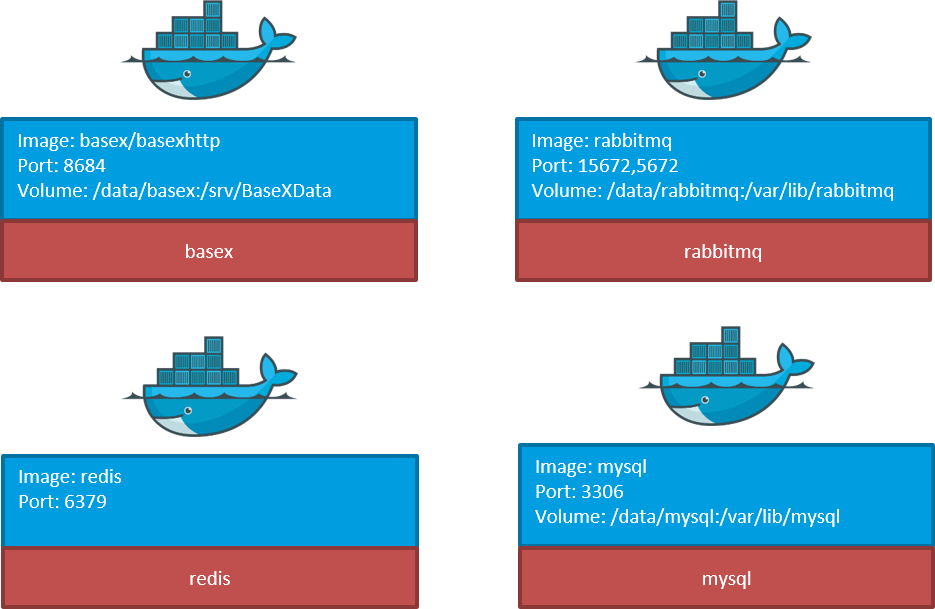
- RabbitMQ 3.8+ (or external RabbitMQ instance)
- Redis 6.0+ (or external Redis instance)
Installation
Clone repository
root@koala:~# git clone <repository-url>
root@koala:~# cd koala/install/compose-koala
Configure
- Edit
common.env— set environment variables (database credentials, paths, etc.) - Edit
dsm.sys— configure IBM Spectrum Protect connection (if using TSM backend) - Ensure required directories exist (e.g.,
/dias/workarea,/dias/downloadarea) - Generate SSL certificates for HTTPS
Pull images
root@koala:~# docker pull <registry>/koala:<tag>
Start the stack
root@koala:/path/to/compose-koala# export NR_OF_CPUS=$(grep -c processor /proc/cpuinfo)
root@koala:/path/to/compose-koala# docker compose up -d --scale loader=$NR_OF_CPUS
Note: Scaling loaders to
NR_OF_CPUSis a heuristic, not a formula. Adjust based on workload and SIP size.
Deployment
The deployment of the koala stack uses Docker containers orchestrated via Docker Compose. A sample docker-compose.yml is in the install directory.
A basic deployment consists of the following application containers:
| Container | Purpose |
|---|---|
web |
Flask web UI and REST API |
scheduler |
Monitors upload area for new SIPs |
loader |
Processes SIPs (scale as needed) |
retriever |
Processes retrieval requests (scale as needed) |
purger |
Manages downloadarea cleanup and recovery |
stats |
Calculates and caches statistics |
Minimum Requirements
| Resource | Minimum |
|---|---|
| CPU | 2 cores |
| RAM | 4 GB |
| System disk | 20 GB |
| Database disk | 50 GB |
| Workarea | 200 GB |
| Downloadarea | 200 GB |
| Uploadarea | 200 GB |
Note
Size estimates based on SIPs < 50 GB. Larger SIPs require appropriately sized upload- and workareas.
Typical Deployments
Hardware Comparison
| test | prod | |
|---|---|---|
| Description | Test system | Production system |
| Applications | Database, MQ, Cache, Koala apps | Database, MQ, Cache, Koala apps |
| CPU | 2 | 4 |
| RAM | 4 GB | 8 GB |
| HDD | 1 TB | 256 GB |
| SSD | — | 50 GB (uploadarea), 100 GB (workarea) |
| Platform | VM | VM |
Cluster Deployments
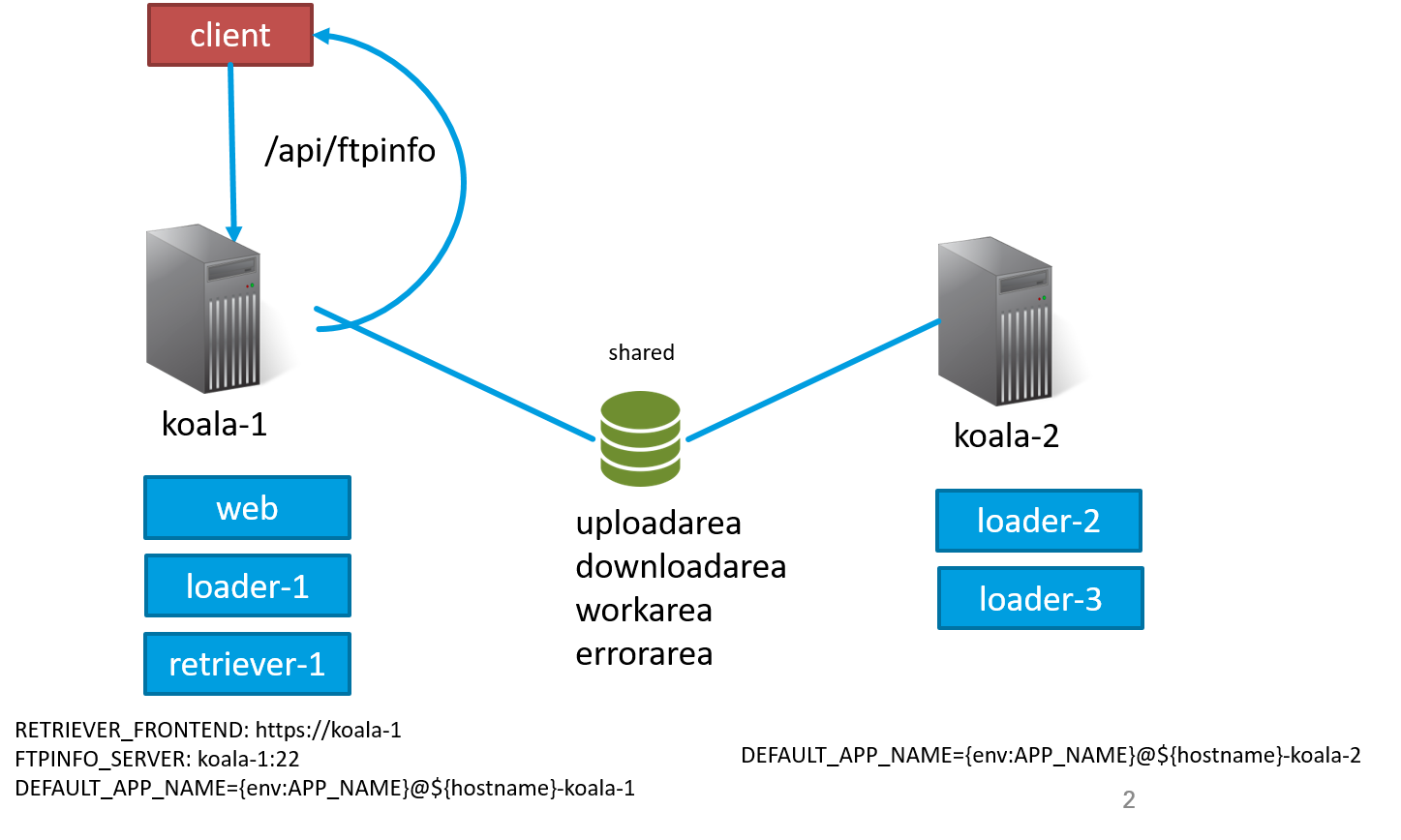
Variant A — Shared Storage
Applicable when loader processing time is the bottleneck.
- Shared storage for koala-1 and koala-2
- Web application only on main instance
- Middleware only on main instance
- Ingests distributed across two nodes
- koala-2 does not need a public IP
Variant B — Separate SFTP Endpoints
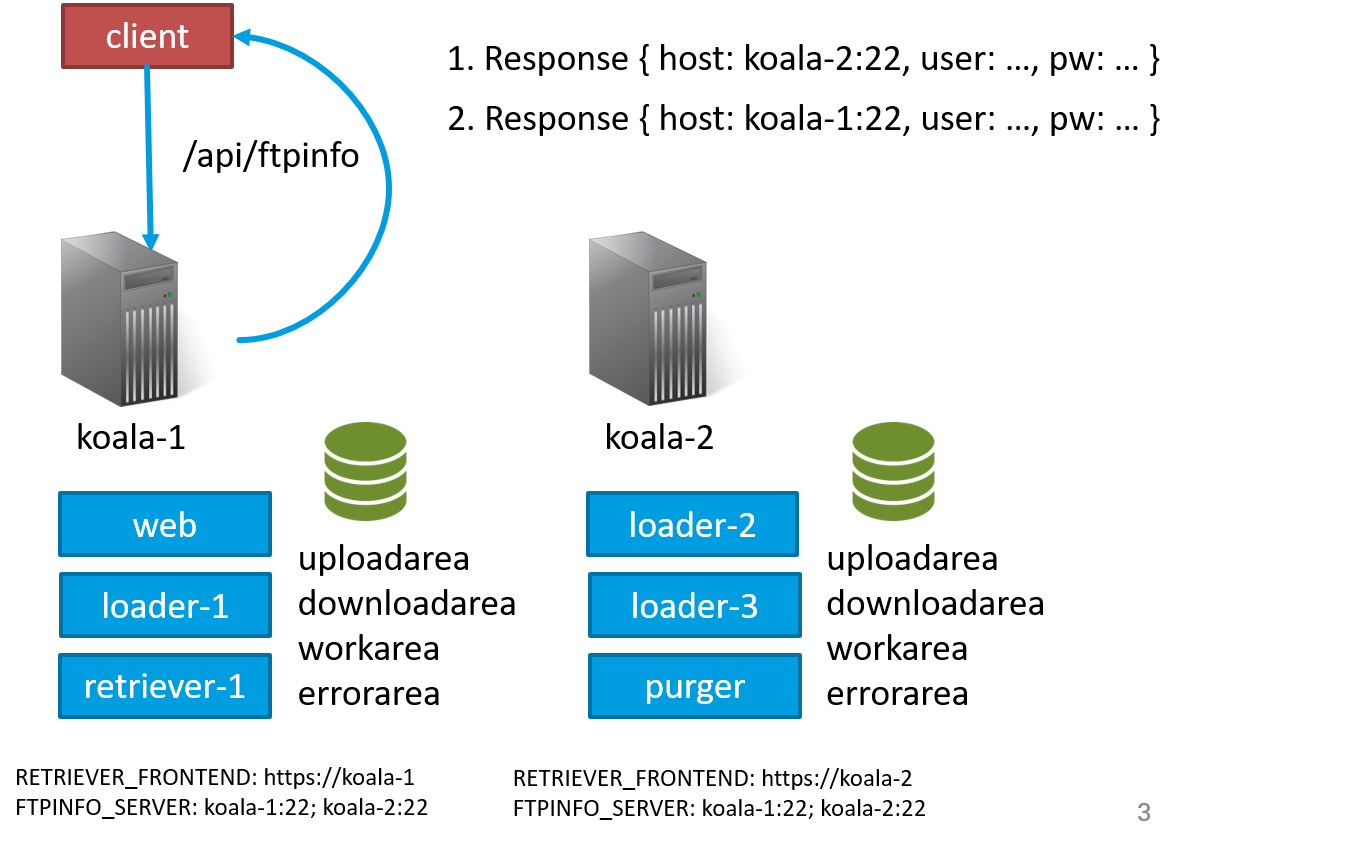
Applicable when transferring files via SFTP is the bottleneck.
- Retriever and web application only on main instance
- Middleware only on main instance
- Ingests distributed across two nodes
- Retrieves only on main instance
- No shared storage needed
- koala-2 needs a public IP
- Purger app per host required
- Client applications must query
/api/ftpinfoto determine which hostname to use for uploading
Variant C — External Database
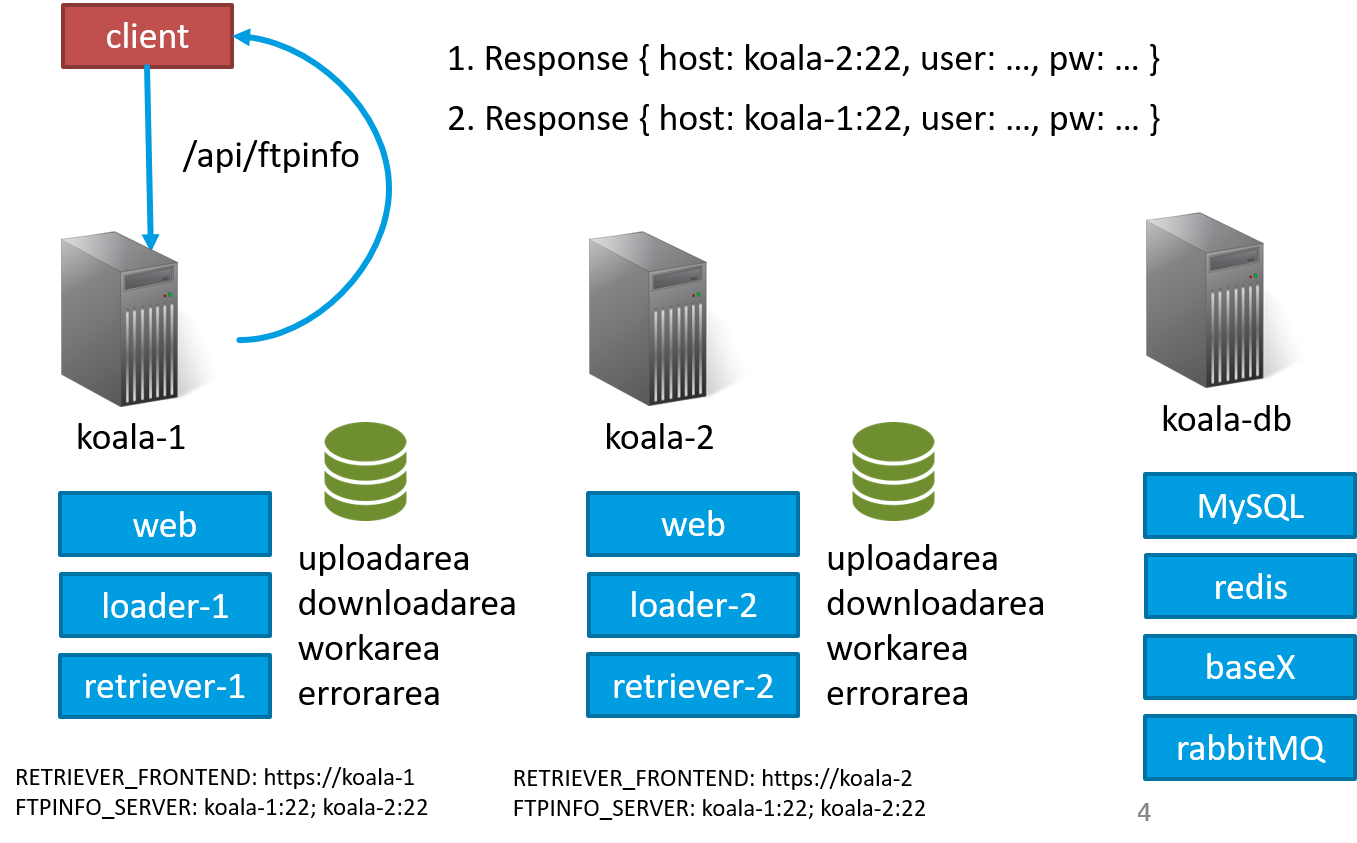
Applicable on top of A or B, for multiple simultaneous retrieves and high middleware load.
- Same as Variant B
- koala-1 and koala-2 HTTP and SFTP interfaces are interchangeable
- koala-db as a separate host for middleware
- koala-db does not need a public IP
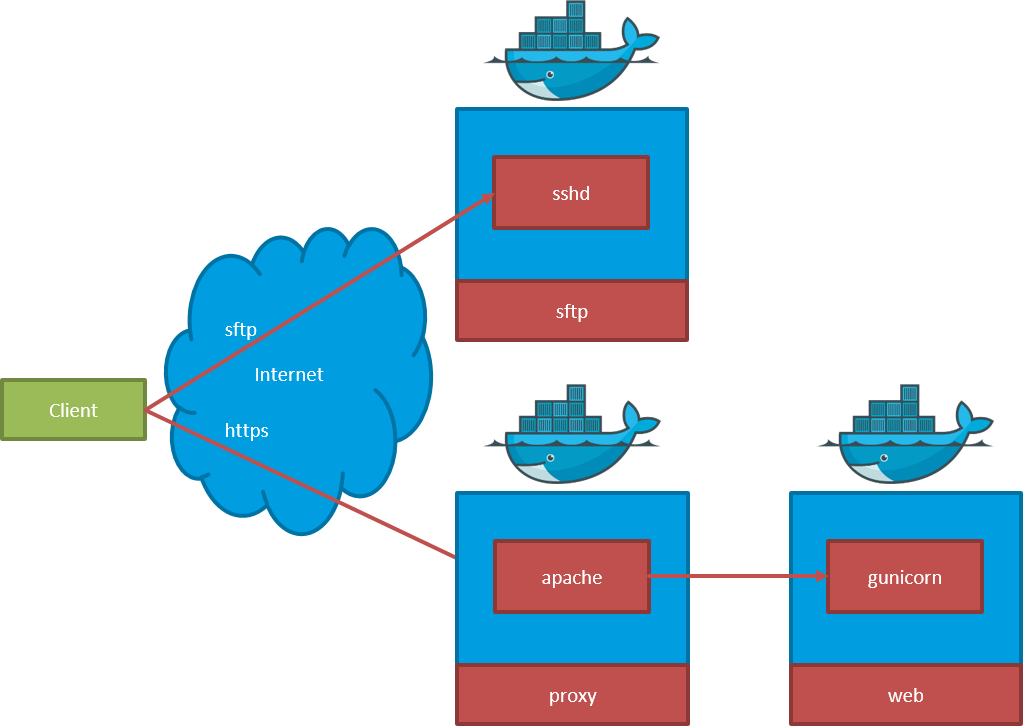
Software Stack
Frontend
Backend
Troubleshooting
Loader stuck in busy state
Check if the purger has locked the workarea:
docker exec <redis-container> redis-cli get loader:<sip_basename>_locked
If locked, the purger is performing recovery. Wait for completion or investigate purger logs.
Scheduler not picking up SIPs
- Verify
SCHEDULER_PRELOADAREApath exists and is mounted - Check
SCHEDULER_SIP_FILE_PATTERNmatches your SIP filenames - Review scheduler logs:
docker logs <scheduler-container>
High watermark triggered, DIPs not being cleaned
- Verify
PURGER_HIGH_WATERMARK_IN_PERCENTAGEandPURGER_LOW_WATERMARK_IN_PERCENTAGEvalues - Check purger logs for errors
- Ensure the purger container has access to the downloadarea volume
Memory issues with large SIPs
- Increase
LOADER_USE_BLOCKSIZEfor chunked processing - Consider scaling loader replicas instead of increasing memory per instance
- Monitor Prometheus metrics:
koala_loader_ingest_hist_seconds