Administration Interface
The koala web UI provides administrative controls for monitoring and managing the system. Access the UI at https://<koala-host>/.
Dashboard
The dashboard shows the current status of all running koala applications, including loader workers, scheduler, purger, retriever, and stats. Each application displays its processing state, progress percentage, uptime, and version.
Real-time updates are delivered via WebSocket/SocketIO, so the dashboard refreshes automatically without manual polling.

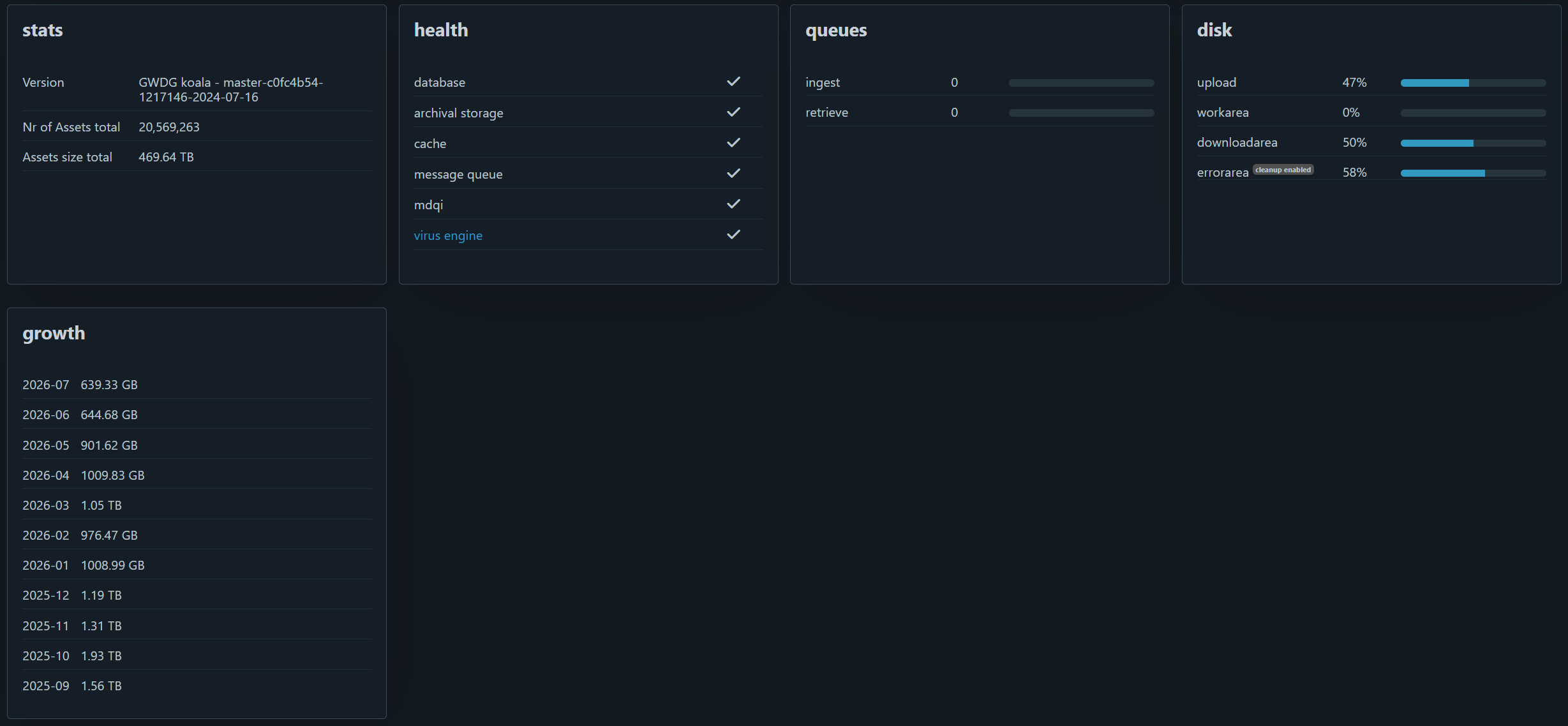
Ingest Status Query
Query the status of a specific SIP by its basename (e.g., 7f55da15-6551-4e6a-ac3a-13f6df1328ff.zip).
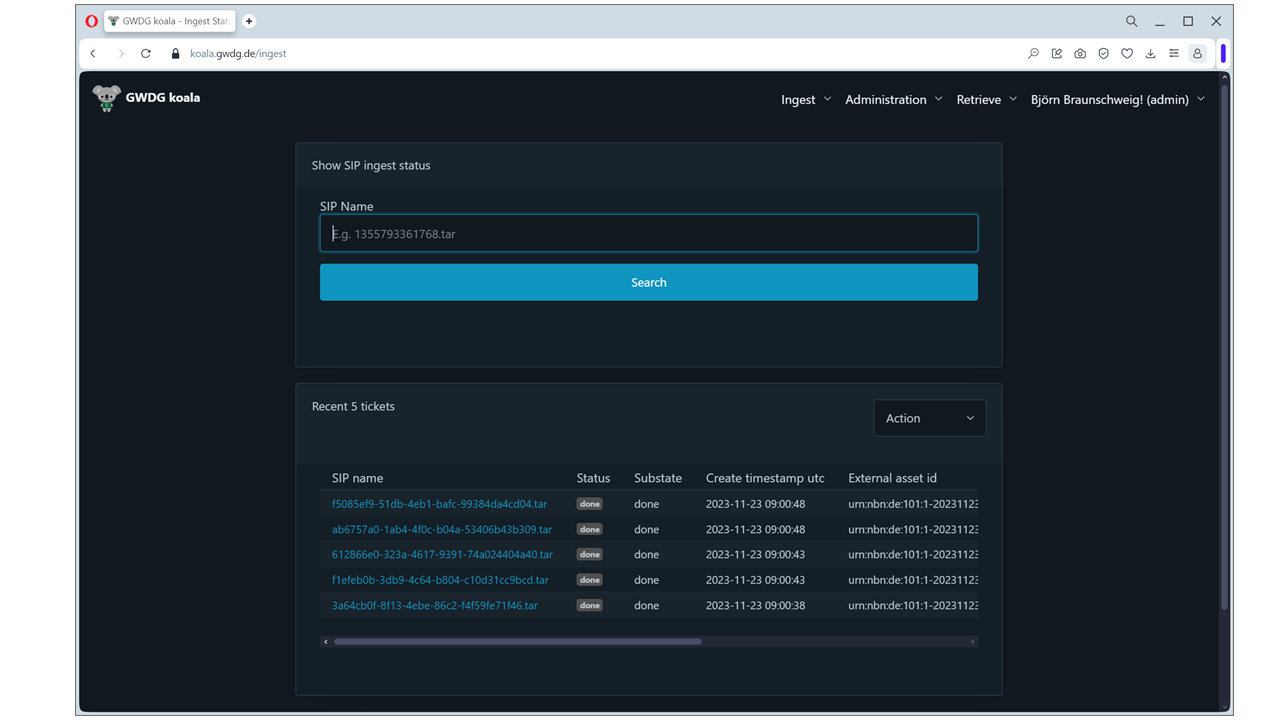
The result shows the current state (uploading, busy, done, error), substate (specific processing step), timestamps, and additional information for errors.
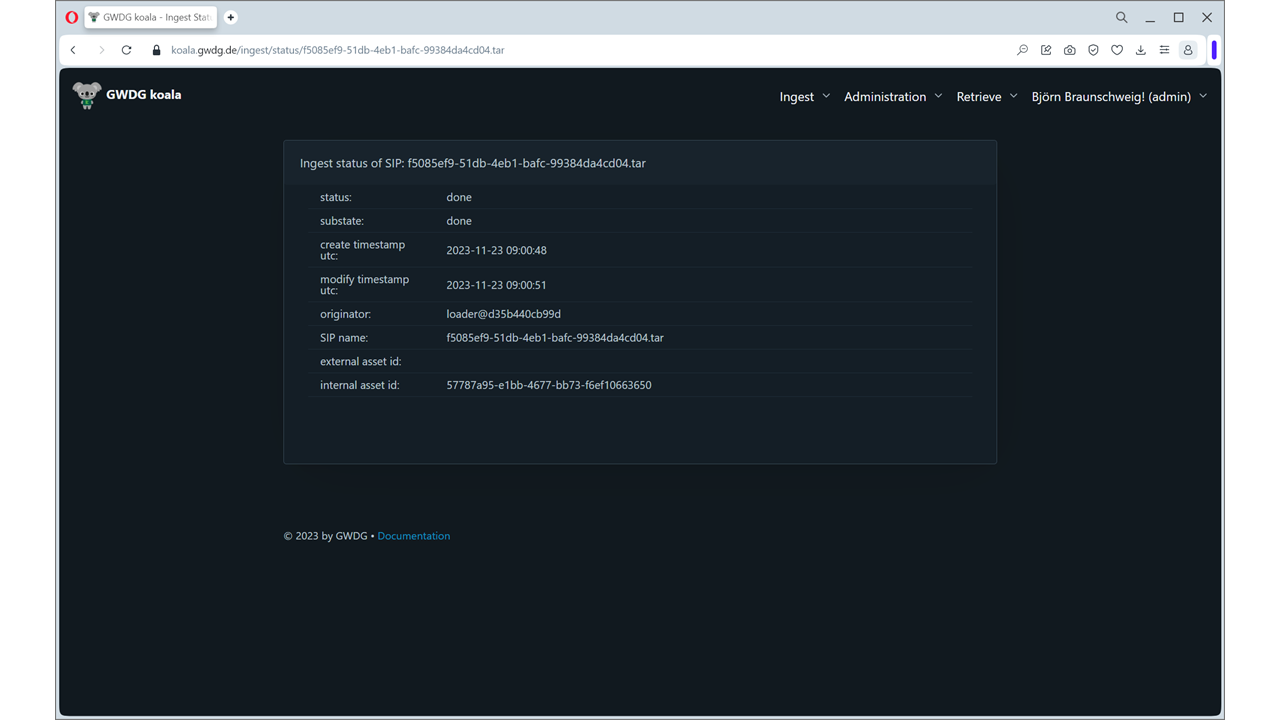
Audit Log
View a complete history of administrative actions performed in the system. The audit log tracks 31 event types including:
- User login/logout
- User account creation/modification/deletion
- Asset and AIP deletion
- Schema and filetype changes
- Retrieve operations
- Filetype import/export
- Automatic ingest pause/resume (written by the
systemuser)
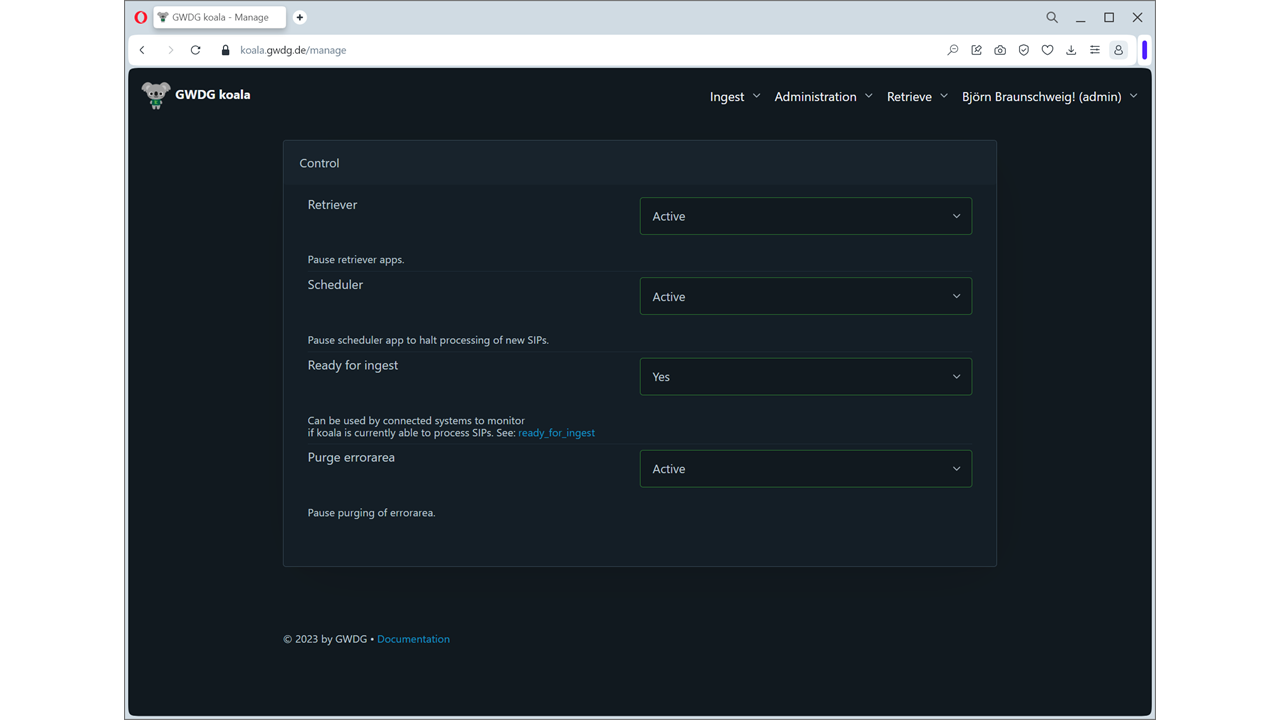
Manage
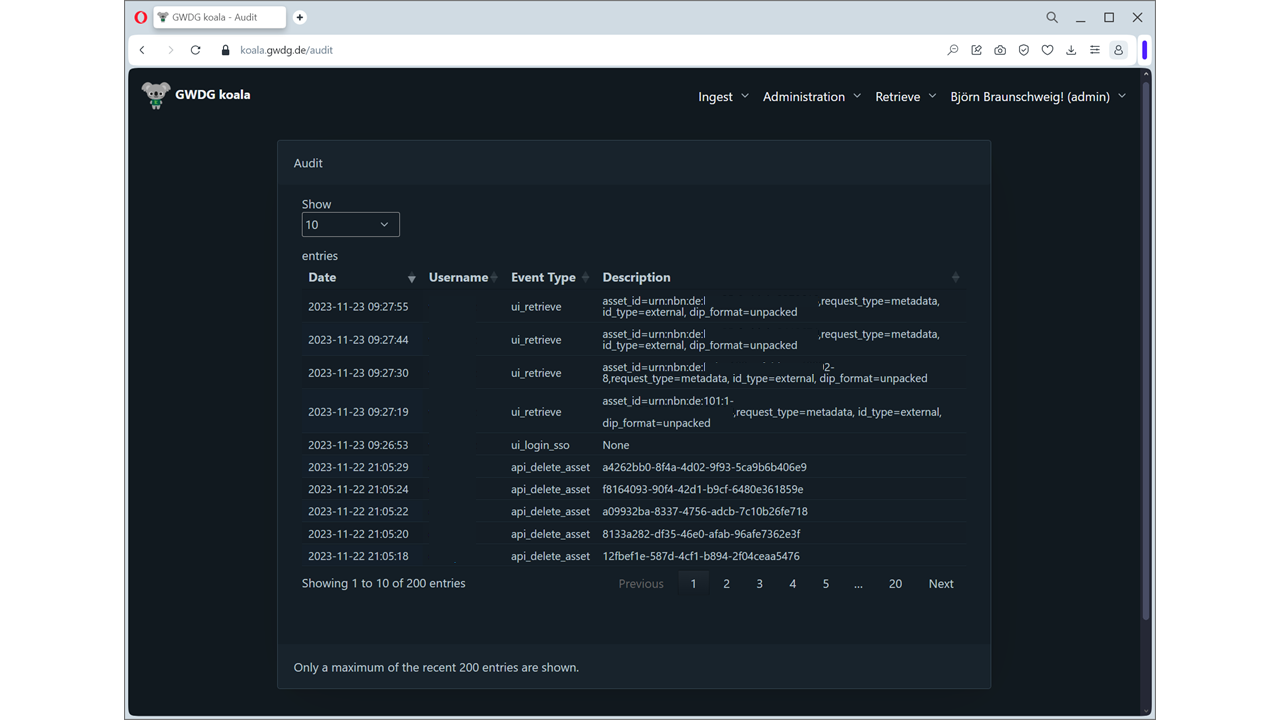
The manage page provides an overview of system health, including:
- Application status summary
- Disk usage statistics (downloadarea, workarea, uploadarea, errorarea)
- Message queue depth
- Cache synchronization status
Users
Manage administrative and API user accounts. Create, edit, and delete users, and assign permissions:
| Permission | Access Level |
|---|---|
admin |
Full access to all UI functions and API endpoints |
monitor |
View-only access to the dashboard |
api |
Execute all API functions |
api_restricted |
Execute all API functions except asset/AIP deletion |
Remote users (LDAP/OIDC) must have a corresponding local account with assigned permissions. Functional/service accounts with api permission must be local accounts.

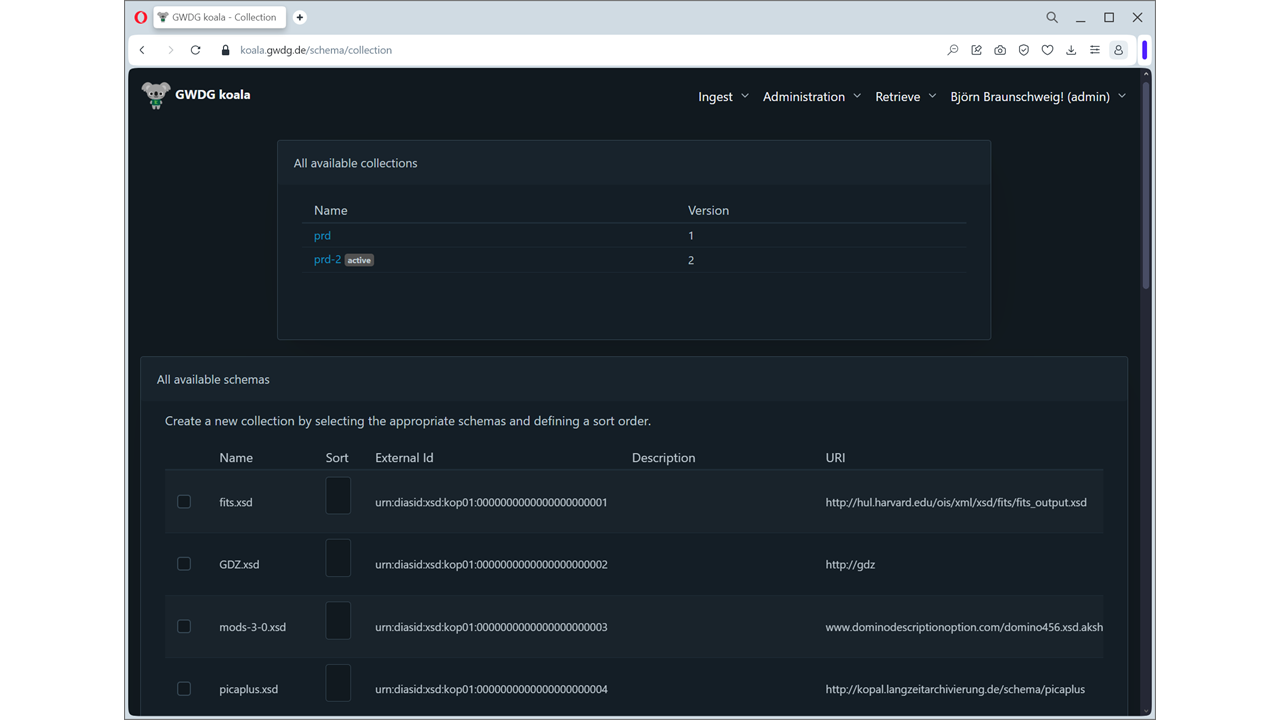
Collections
Configure schema collections. A collection groups one or more XSD schemas that are used to validate SIP metadata during ingest.
Filetypes
Configure accepted file types. The filetype database maps file extensions and MIME types to DIAS-compliant file type identifiers. Supports bulk import and export.

Schema Management
Manage XSD schemas used for metadata validation. Upload new schemas, view existing ones, and associate them with collections.
Statistics
The system provides statistics at five resolution levels (minute, hour, day, week, month) covering:
- Number of assets ingested
- Total bytes ingested
- Average asset size
- Application uptime and processing status
Growth Widget
A dashboard widget displaying monthly ingest statistics, showing trends in asset count and storage consumption over time.
Alerts
- No-ingests alert — Configurable email notification sent when no new SIPs have been ingested for a specified period
- Usage consumption email — Monthly email with mass storage statistics and storage tier utilization
Modified AIPs Discovery
Query for AIPs that have been created or deleted within a specified timeframe. Useful for discovering changes when integrating with external systems.